Make YouTube conversations easier to verify in NotebookLM.
Copy a video's transcript, turn it into a text file with timestamped YouTube links, and ask NotebookLM questions that point back to the original speaker.
See the difference: before and after
We asked the same question about a John Wooden talk in two separate notebooks. One used the YouTube video as a source; the other used a timestamped text file created by this tool.
NotebookLM's usual citations
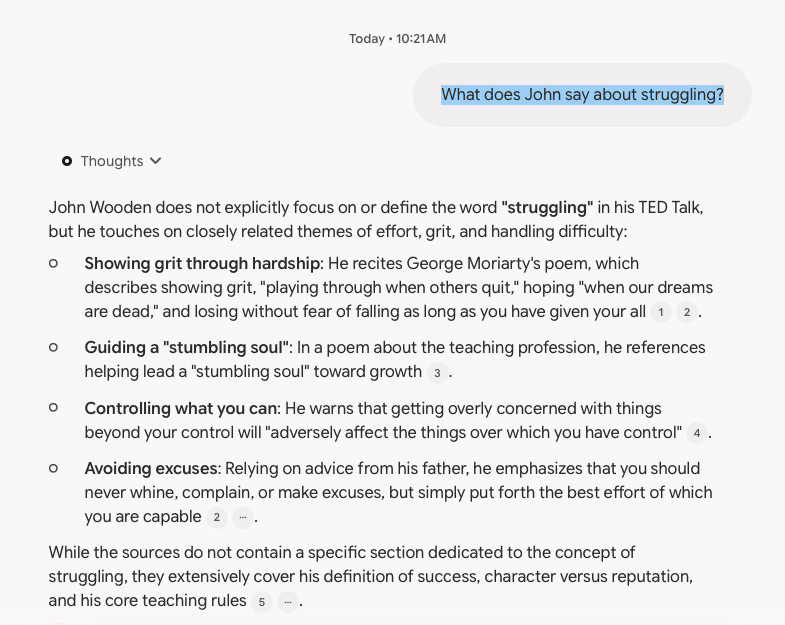
Example screenshot: numbered citations appear alongside the answer.
Watch links in the answer
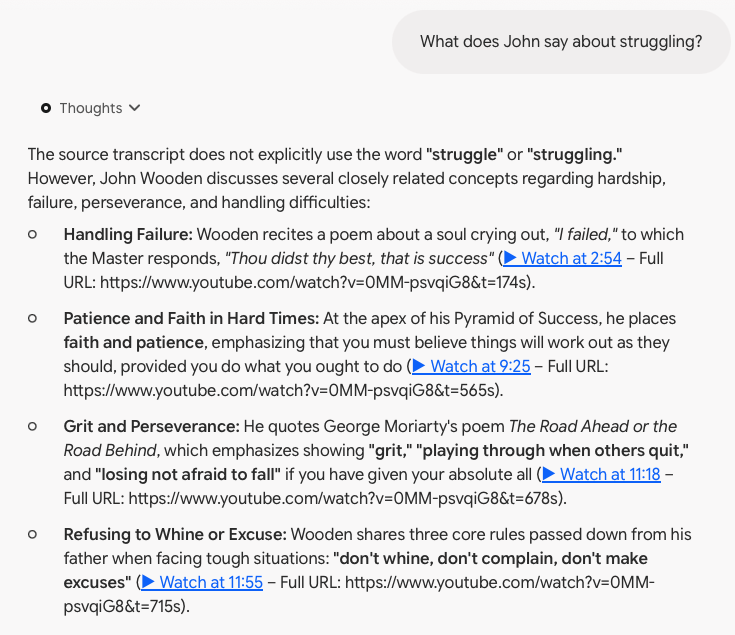
Example screenshot: the answer includes direct watch links for relevant moments.
Create your NotebookLM transcript file
No special software needed. YouTube provides the transcript; this page adds the timestamped watch links.
1Copy the transcript on YouTube
- Open the video on YouTube.
- Below the video, click …more, then Show transcript. YouTube may place this in a different location.
- Make sure the transcript's timestamps are visible.
- Click and drag to highlight the transcript from start to finish. For longer videos, continue dragging and scrolling until all the text is selected.
- Copy with Command+C (Mac) or Ctrl+C (Windows).
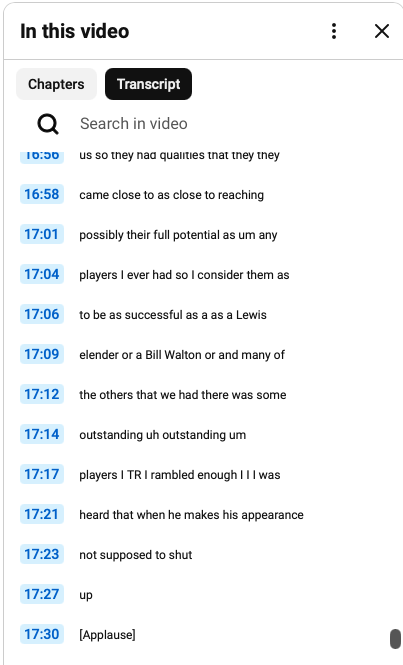
Example: highlight the timestamped lines in YouTube's transcript panel.
If the video doesn't offer a transcript, this tool cannot generate one. You don't need to clean up the copied text.
Preview of your file:
4Use the file in NotebookLM
- Click Download Text File above.
- Open NotebookLM, create a new notebook, choose Add sources, and upload your downloaded .txt file.
- Use only the downloaded text file as your source. Do not add the original YouTube video as another source to this notebook; the text file already contains the video links.
- Open Configure Chat, select Custom, paste the instructions below, and click Save.
- Ask your question. Follow the ▶ Watch at [time] links to verify the original recording.
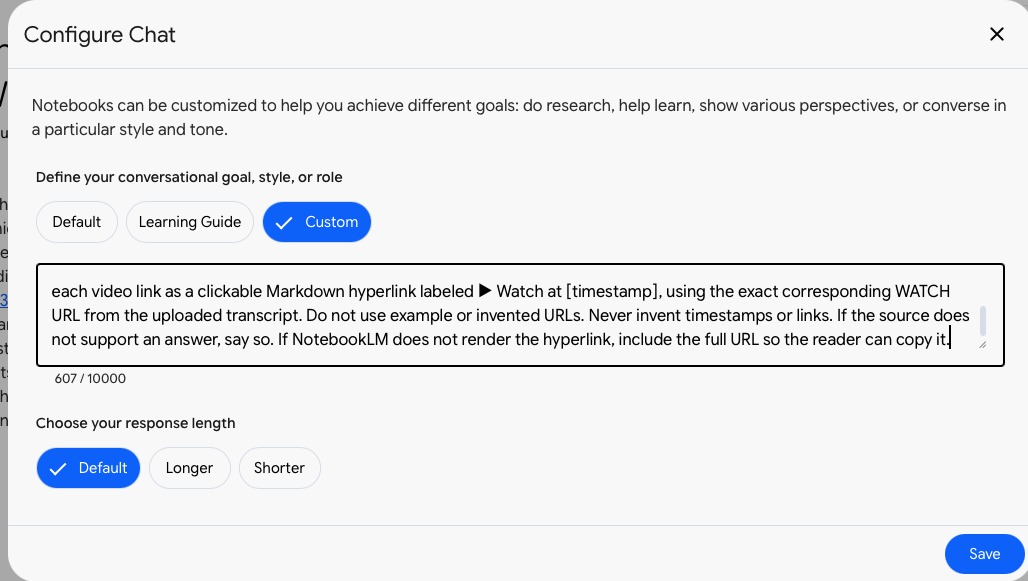
Example: paste the instructions into NotebookLM's Custom chat configuration.
NotebookLM may display a watch URL as plain text instead of a clickable link. If so, copy the URL into your browser. Always verify important statements against the original video.